

GGU-BORELOG
 GGU-BORELOG
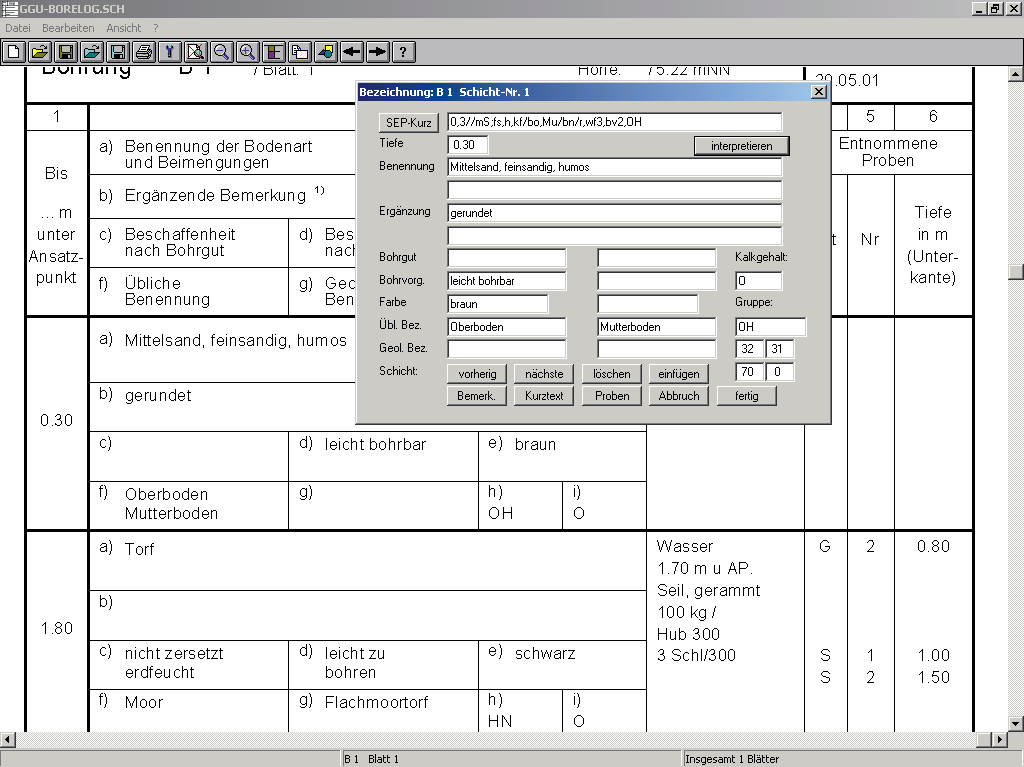
Input and Visualisation of Bore Log Data to DIN 4022, or ISO 14688-1 and ISO 14689-1.

Capabilities:
- Visualisation of bore logs to either DIN 4022 or ISO 14688-1 and 14689-1
- Data transfer to GGU-STRATIG (= once-only data input)
- Import and generate LBEG (Landesamt für Bergbau, Energie und Geologie, formerly NLfB) Hannover SEP 2 data format
- Several files can be merged at once
- Use of user-defined codes for rapid strata input
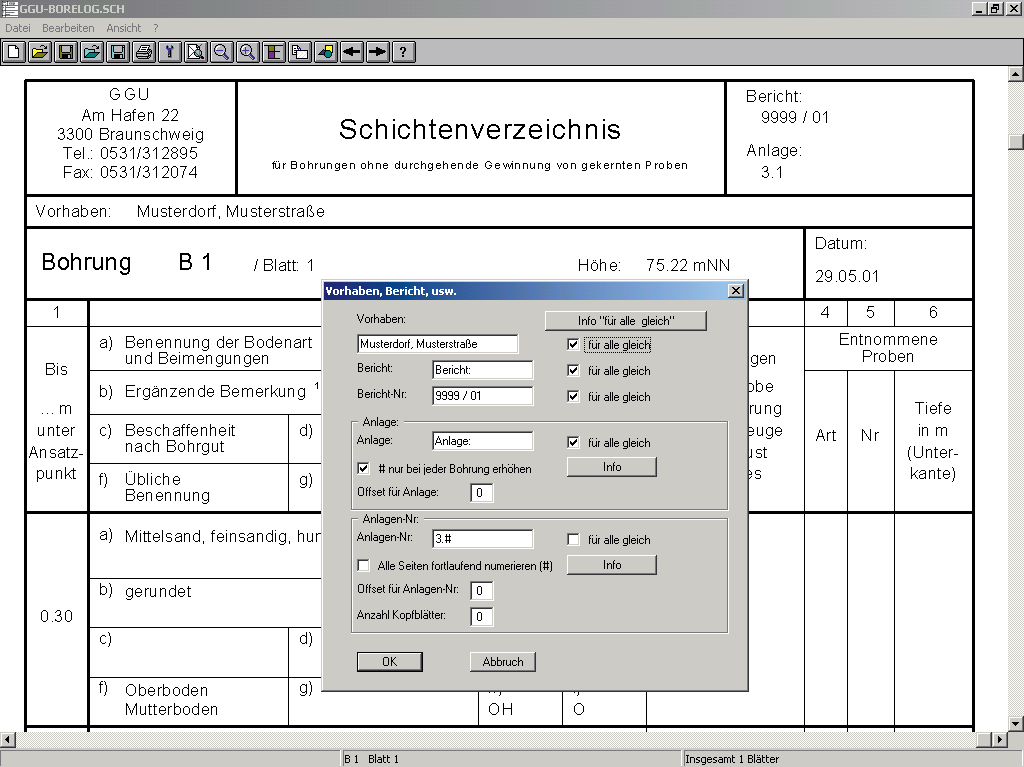
- Project-specific input of basic data for all annexes
- Automatic annex and page number generation
- Automatic adaption of page format for printed output Print or copy screen sections, e.g. for transfer to a word processor
- Integrated Mini-CAD system for additional annotation of graphics
Current updates & changes
9.5 (22.09.2026)
- Bug: Lime content, condition, and drilling process are no longer missing in the layer directory after data import
- Bug: PDF export in landscape format now uses the full page width
- Bug: Layer remarks are transferred to the layer directory (column 7) during data import
9.4 (01.07.2026)
- Bug: Groundwater levels are sometimes incorrectly transferred or not transferred at all during data exchange with GGU-CONNECT
9.3 (24.06.2026)
- Bug: Printing and PDF export on A4 not possible, layer directory distorted (ISO 14688-1)
- Bug: Groundwater data is lost during data exchange with GGU-CONNECT
- Bug: Terrain elevation and date are lost when transferring to GGU-CONNECT
- Feature: GGU-CLOUD import: 'Borehole collapsed' and layer comments are reliably transferred
9.2 (27.05.2026)
- Feature: Make the menu item "Project, Report..." accessible via double-click
- Feature: "Interpret All" function similar to STRATIG
9.1 (26.05.2026)
- Bug: /STRATIG: Automatically assign single quote text in abbreviation lines to column B
- Feature: Execute line break in columns A and B of the layer directory later
- Feature: Support for PDF batch processing from GGU-CONNECT
- Feature: Make the menu item "Project, Report..." accessible via double-click
- Feature: "Interpret All" function similar to STRATIG
Show all entries
Online-Shop:
All prices incl. VAT
Information about our licenses
Simple and secure processing!
During the further order process you switch to the store system of our technology partners "WIBU Systems" and "cleverbridge". You can find out more about these companies under the following links.
 |  |
Additional information:
System preferences
- Microsoft Windows 11
- Microsoft Windows Server 2019 or 2022
- Internet connection for download, installation, and online features
- Sufficient free disk space for installation and project data
- An available USB port when using a CmStick license dongle
Licensing Information
- CmActLicense is tied to a physical Windows PC and is not intended for use on virtual machines.
- Depending on the licensing model, CmCloud-based licensing options are available for virtual machines.
- An Internet connection is required to use CmCloud.
1x Floating Network License
264,00 €
incl. VAT
10h PayPerUse
- All GGU applications included
- Free support
- Always current versions
- License binding to PC, CmCloudContainer or Dongle (CmStick with serial numbers starting with 3-344xxxx)
- Access via network/VPN
- Usage time by the minute
- All programs included
- Ends automatically
- Ideal for home office and license usage spikes
1x Floating Network License
36,00 €
incl. VAT
365 days rent
- Free support
- Always current versions
- CmCloudContainer
- Supports virtual PCs
- Automatic license distribution
- Access via network/VPN
- Ends automatically
- Access for teams
1x Non-Network License
24,00 €
incl. VAT
365 days subscription
- Free support
- Always current versions
- License binding to PC
- One program user
- Automatic renewal
- Annually cancelable