

GGU-GABION
 GGU-GABION
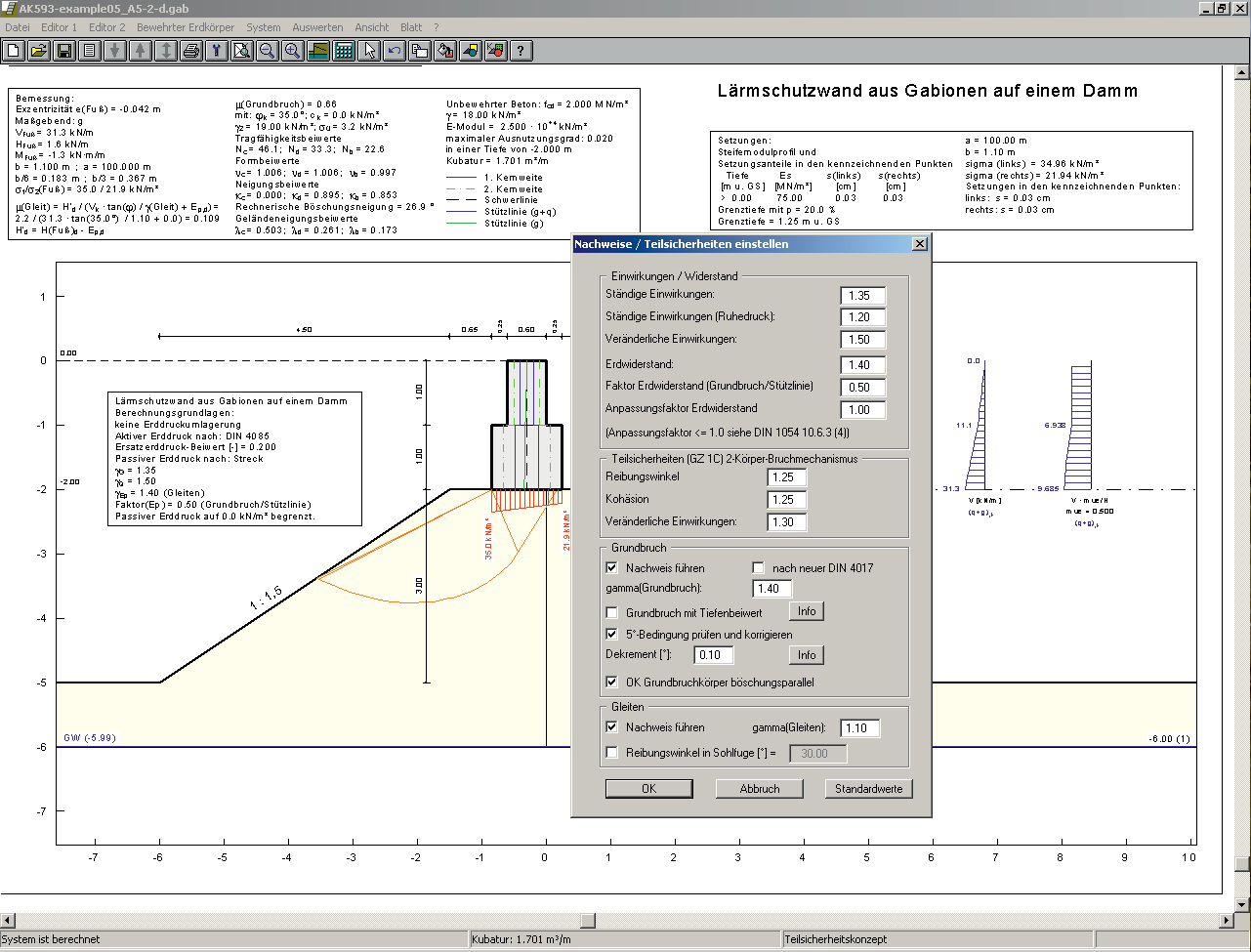
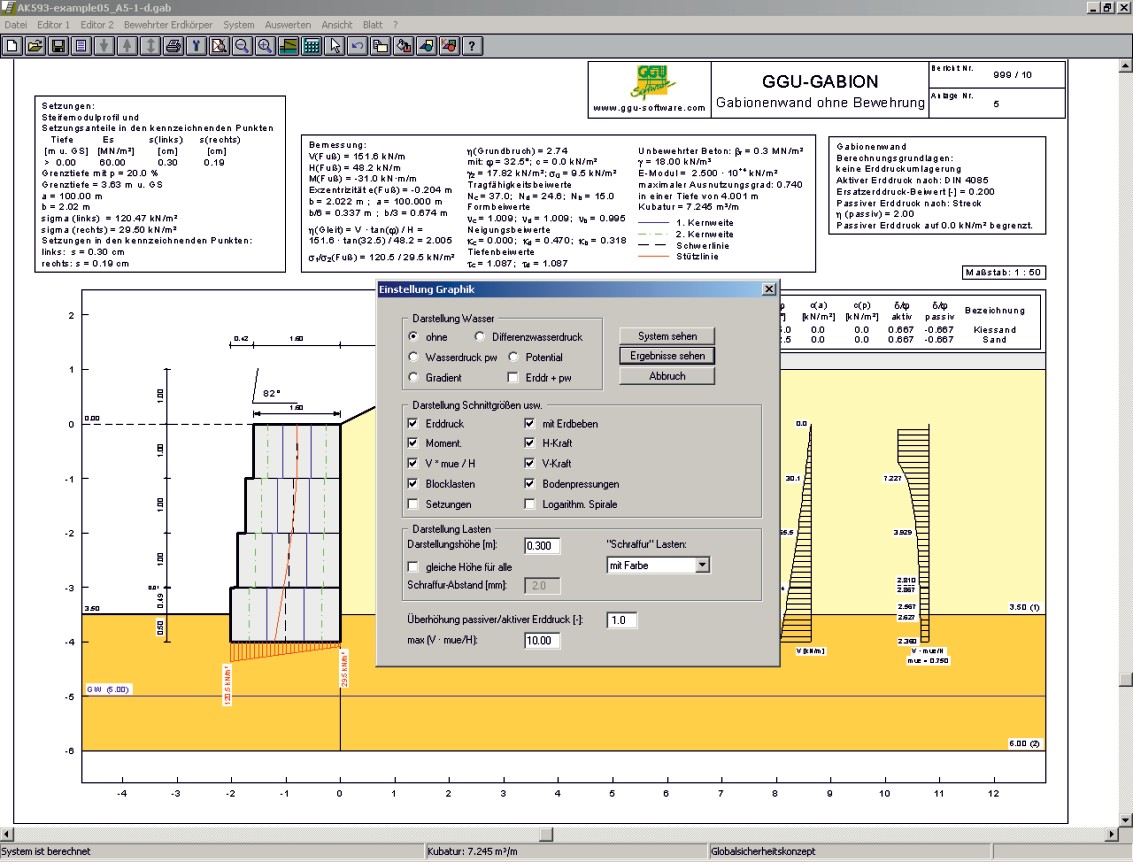
Analysis and design of retaining structures manufactured using gabions, concrete elements and stacked blocks as well as noise abatement walls.

Capabilities:
- Choice of analysis using either partial safety factors according to EC 7, DIN 1054:2010, Austrian Standard ÖNORM EN 1997-1 or global safety factors (DIN 1054 old)
- Possibility of automatic generation of common retaining systems, as well as for abatement walls
- System input using absolute heights
- Analysis using active earth pressure, at-rest earth pressure and increased active earth pressure
- Active earth pressure coefficients according to DIN 4085
- Redistribution of the active earth pressure definable
- Consideration of earthquake according to EC 8 or EAU 1990, additionally consideration of a horizontal load from a rigid structure or from dead weight of the wall
- Passive earth pressure coefficients according to DIN 4085:2011, Streck, Caquot/Kerisel, Culmann or user-defined values
- Soil properties can be selected from an expandable database of common soils
- Berms on the active and the passive side
- Bounded and double-bounded surcharges on the active and passive side
- Loads with limited plan dimensions according to “Spundwand-Handbuch”, fig. 4.20, or DIN 4085:2017-08
- Consideration of horizontal area loads
- Triangular load from stepped loads
- Wind load consideration according to DIN EN 1991-1-4 (design of an abatement wall)
- Bearing capacity safety analysis according to DIN 4017
- Verification of the 5° condition for soil stratification and correction through iterative reduction of shear friction angles that are above the current mean value
- Verification of highly eccentric loads (EQU) and limitation of misalignment
- Sliding safety analysis adopting user-defined friction angles possible
- Settlement analysis according to DIN 4019
- Limiting depth analysis using p % of overburden stress, a multiple of footing width b' or a fixed value
- Determination of external and internal element stability (inner stability according to DIN 4093:2012-08)
- Geogrids definition via company products
- Analysis of pull-out resistance of geogrids via gamma(B)
- Automatic design of any geogrids present using two-part wedge failure mechanisms
- Interface to the computer program GGU-STABILITY for the verification of the global stability
- Choice of result presentation for earth pressure, moments, horizontal force and vertical force
- Adopted standard, program name and version can be included in the General legend
- Freely definable positioning and sizing of graphical elements and legends
- Print or copy screen sections, e.g. for transfer to a word processor
- Integrated Mini-CAD system for additional annotation of graphics
Current updates & changes
8.0 (06.05.2026)
- Feature: Paid major update (Free for licensees with a subscription or update insurance under the software service agreement)
- Feature: Update WPViewPDF-DLL (wPDFViewMKIMG04.dll) from v4.3 to v5.x
7.33 (19.11.2025)
- Bug: Issues with NaN in calculations
7.32 (26.08.2025)
- Feature: Update Check: Notification of new available versions and their contents
- Feature: Improve behavior of the version notes box
7.31 (26.07.2024)
- Produktmanagement
7.30 (12.06.2024)
- Produktmanagement
Show all entries
Online-Shop:
All prices incl. VAT
Information about our licenses
Simple and secure processing!
During the further order process you switch to the store system of our technology partners "WIBU Systems" and "cleverbridge". You can find out more about these companies under the following links.
 |  |
Additional information:
System preferences
- Microsoft Windows 11
- Microsoft Windows Server 2019 or 2022
- Internet connection for download, installation, and online features
- Sufficient free disk space for installation and project data
- An available USB port when using a CmStick license dongle
Licensing Information
- CmActLicense is tied to a physical Windows PC and is not intended for use on virtual machines.
- Depending on the licensing model, CmCloud-based licensing options are available for virtual machines.
- An Internet connection is required to use CmCloud.
1.472,63 €
incl. VAT
365 days rent
- Free support
- Always current versions
- CmCloudContainer
- Supports virtual PCs
- Automatic license distribution
- Access via network/VPN
- Ends automatically
- Access for teams
981,75 €
incl. VAT
365 days subscription
- Free support
- Always current versions
- License binding to PC
- One program user
- Automatic renewal
- Annually cancelable
264,00 €
incl. VAT
10h PayPerUse
- All GGU applications included
- Free support
- Always current versions
- License binding to PC, CmCloudContainer or Dongle (CmStick with serial numbers starting with 3-344xxxx)
- Access via network/VPN
- Usage time by the minute
- All programs included
- Ends automatically
- Ideal for home office and license usage spikes
Webinars & Videos

Webinar
Analyze retaining structures with GGU-GABION (27min)
This webinar will demonstrate the GGU-GABION program’s ability to analyse and design of retaining structures manufactured using gabions, concrete elements and stacked blocks as well as noise abatement walls.
Our expert Prof. Dr. Uwe Glabisch will provide you with informations on how to use the program and how to calculate and evaluate results. You can watch the video recording of this webinar free of charge after you have registered with your name and e-mail address.

Webinar
GGU-GABION Trailer (4min)
An overview of the potential of the computer programm GGU-GABION.